

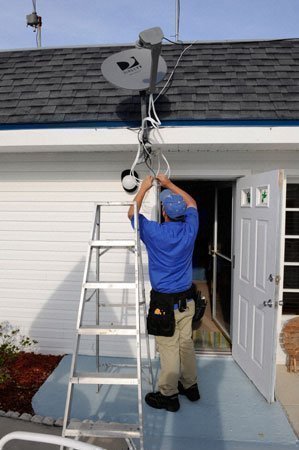
Standard professional satellite dish installation is free for those interested in receiving DirecTV service. However, customers can easily install the DirecTV satellite dish on their own. Here are some tips.
When installing a DirecTV satellite dish it is important to first have all the major parts necessary to install it and connect it to the TV set. These parts include the DirecTV satellite dish, any hardware necessary to install the dish, special cable, telephone line cable, DirecTV satellite dish receiver, and a TV set.
DirecTV Satellite Dish
The DirecTV satellite dish is what makes it possible to receive satellite signals from space and send these signals to a TV set. The satellite dish is what will be installed outside on the roof, balcony, exterior wall, or from a terrestrial location such as a pole on the ground. The satellite dish is round and is approximately 20 inches wide and 18 inches tall. It is important to note that besides this size dish, there is another size dish available if the DirecTV World Direct Service package is ordered. This dish is 36 inches wide, 18 inches high, and round.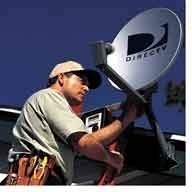
For more information on DirecTV satellite dishes, read the FAQ answer What are the DirecTV Satellite Dishes?
The Dish Must Point in a Certain Direction
The satellite dish must point in a certain direction in order to pick up the satellite broadcast. In DirecTV’s case, the satellite dish must be able to point to the Southern sky. It must be in the line of sight of the Southern sky and trees, poles, or buildings should not block this sight line. This is a requirement to receive DirecTV satellite signals.
LNB Tester
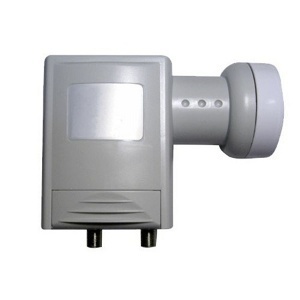
LNB (Low Noise Block) tester is essential in finding clear, strong signals from a satellite TV service in order to maximize satellite dish installation. The LNB tester is a great way to make sure that the best signal possible is received from the satellite orbiting over head. They are usually very affordable and connect between both the satellite dish and TV receiver. They weigh less than a pound and fit in the palm of anyone’s hand.
Hardware Necessary to Install the Dish
The hardware necessary to install the dish depends on the type of installation selected. For instance, having the satellite dish attached to the balcony will differ from installing it on the roof. Contact a home improvement center for the materials that should be used with the specific installation.
IFL Cable
Once the satellite dish is installed either on the roof, balcony, or a pole from the ground, connect it to the receiver indoor. This is usually done with a cable. DirecTV uses an IFL (Intra-Facility Link) cable to transfer the satellite signal from the satellite dish to the receiver. There are two different types of cables that are used depending on the set up.
RG-6 Cable for Standard Receivers
If there is only one receiver in the home, an RG-6 cable can be used. This cable can hold a certain amount of bandwidth. Since there is only one receiver, it is not necessary to send much data from the satellite dish to the receiver.
Dual RG-6 Cable
A Dual RG-6 Cable is required when using advanced DirecTV satellite receivers. These receivers are used for advanced products and each receiver installed in a home can choose its own programming. These cables can carry much higher bandwidth.
Telephone Cable
In order for DirecTV to activate itself and work properly, it must be connected to a telephone line at all times. All receivers in the home must be connected to the same phone line.
DirecTV Satellite Dish Receiver
The DirecTV satellite dish receiver is needed in order to receive the signals from the satellite dish, unscramble them, and decompress them. They are pretty much the heart and soul of the satellite TV set up. These receivers usually come in set top boxes. They are generally small boxes that fit on top of the TV set. They have computer chips in them that decode and create image and audio from the satellite signals received. There are many models available and they all have different functionality. Some have advanced functionality, some deliver basic functionality.
TV Set
In order to view the satellite TV image, users need a TV set. Because satellite TV signals are broadcast digitally, they can be viewed on HDTVs. Your HDTV does not need its own tuner, the satellite receiver already has an HDTV tuner built in. The satellite receiver is compatible with standard analog TVs as well.
Activate the DirecTV Subscription
Once the satellite TV dish is installed and the components are all hooked up, activate the DirecTV subscription. Call (888)777-2454 to make sure that the DirecTV subscription is activated and confirm the entertainment package purchased.
Michael Jefferson
I do not want my property damaged again by one of your incompetent installation techs. Can I install my satellite dish and receiver competently myself?
Dick
I have Directv. I want to install a tv in my workshop. If I add a splitter between the black box and the present cable going from box to a tv, will I get basic channels on the tv in my workshop?
Ray
If I install my own equipment (dish/receiver) purchased online – will DirecTV give me a hard time and insist on doing the install themselves with their own equipment (i.e. gouge me some more with an installation fee)? This would be my second account for a second property I own.
I.J.
My next door neighbor cut thru her Direct TV dish cable running to the house; is there a way to re-connect the cable using a connector or does she have to replace the entire cable
Ajay Khule
Hi,
Replacing the entire cable would be a better option, as it won’t cost much.
henry
How do i install FTA satelite for 7degree west and the dish size wit strong decoder.am from Anambra state,NIGERIA
yousuf
how can connect c band lnb with two receiver because i have two receiver
conectio for lnb one is working other one not working other one off another one working both not working wat the reason
Lia
hey im from ecuador i´ve a question my dtv reciever stops working when i order that it has to search for signal . what would i do? the intencity of the signal only is in 0 for hours
i wait for answers and i hope my question and your answers help other people
susan
Are Dish satelite’s compatable with Direct receiver if set to the correct direction? I have a Dish on my roof and have a direct receiver.
Will.Spencer
Physically, a Dish Network dish will be able to pick up most DirecTV signals. You might have trouble picking up some of the satellites, depending upon the model of the dish. However, you will almost certainly have to switch out the LNB — so you might as well just go ahead and replace the dish also.