

There are two circumstances that can cause someone to want to change his/her AOL password: 1) forgetting the AOL password and needing to recover it and 2) to change the AOL password. The latter can be because the AOL password has leaked to someone or the user wants to adhere to the good practice of changing his/her password periodically. It is a good practice to change one’s AOL password at least once in a month.
Changing an AOL Password
The following steps show in detail how to change an AOL password when the current password is known:
- Sign into the AOL Mail Account from AOL
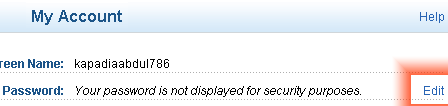
- Once signed in, the user is taken to the My Account page. Click the Edit link next to the Password field.

- The next page will ask that the current password is entered. Type a new password and retype it for conformation.
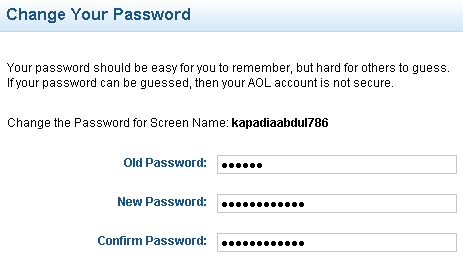
- Click Continue to carry on with the password change.

- If the entered information is correct, the password information will be updated. Hence, the user can now log in with his/her new password.
Recover a Forgotten AOL Password
Someday, an AOL user may need to change/recover his/her AOL password because he/she forgot it. In order to recover the AOL password, follow the steps below:
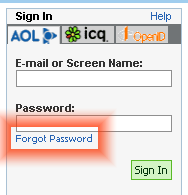
- Go to AOL. Click the Forgot password link just below the password text field on the sign in form.
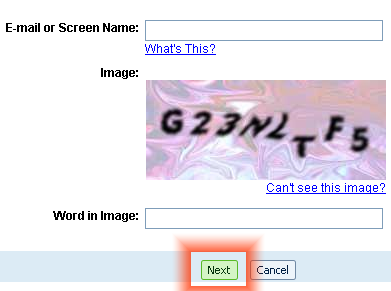
- The next page will ask for the Email/Screen Name and Word In Image for verification. The latter verifies that the user is human and not some computer operated program.
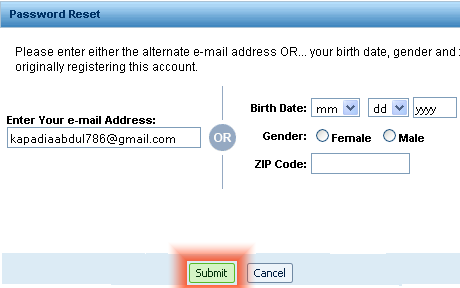
- The user is provided with two options for password retrieval. Either provide an alternate mail address or date of birth (with gender and zip code). Enter whichever is feasible or known. Click Submit.
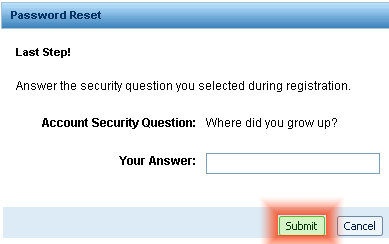
- Enter the answer to the secret question. Click Submit.
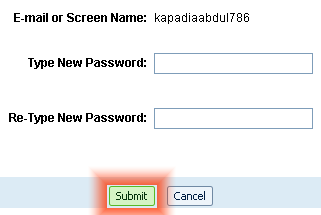
- Enter and retype the new password for confirmation. Click Submit.
- The password will be changed/updated. Next time, the user can log in with his/her new password.
Be sure to carefully choose a password and keep it safe. If possible, do not write it down because it is easier for people to get access to it. Let it be a secret. To help protect one’s personal information, change passwords regularly.


Peggy Waldron
I need help with password. When I fill in my security questions on my laptop, they are not accepted. Where so I go from here? I am signed in on my tablet, so I am able to get email, but I need to use my laptop, too.
sara manuel
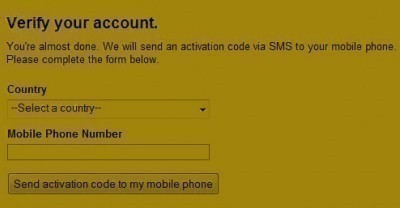
You need to change Your password .Get Verification code in Phone. aol.com
Leah
I need to change my AOL password because I got a damn virus that keeps coming back. But, I do not remember my ASQ as this account is nearly 15 years old. How can I reset my password without ASQ?
Lisa
What happens when after the verification page… nothing is shown to click on to verify? It just says no info available. How Is that? What can you do to reset it then? Does this mean this is a sub account?